The gap analysis template that shows you exactly where you stand and what to fix first
| Reading time:


Most organizations have goals. Fewer have a clear, honest picture of how far they actually are from reaching them. According to ClearPoint’s analysis of over 254,000 strategic objectives, only 39.3% of strategic objectives are on track at any given moment. That gap between intention and reality is exactly what a structured gap analysis is designed to surface, and a well-built Excel template is one of the most practical tools for getting started.
Whether you’re conducting a performance gap analysis for a business unit, running a process audit, or mapping your workforce capabilities against future demands, a gap analysis template keeps the work grounded, organized, and actionable. This guide walks through how to use one effectively, what to put in it, and when it stops being enough.
What a gap analysis template does (and why Excel works well for it)
A gap analysis template is a structured framework that captures the distance between where you are and where you need to be. It gives that comparison a consistent format: defined focus areas, measurable current and target states, gap scores, root causes, and an action plan with owners and deadlines. Without that structure, gap analysis often drifts into vague discussion rather than clear decisions.
Excel works well for this purpose for straightforward reasons. It’s familiar, flexible, and available in almost every organization. You can build formulas to calculate gap scores automatically, apply conditional formatting to flag high-priority items visually, and structure tabs by department or focus area. For teams running their first formal gap analysis, or for one-off assessments with a defined scope, a gap analysis Excel template provides immediate utility without requiring new software or lengthy onboarding.
The SHRM workforce planning framework describes gap analysis as the process of identifying the missing pieces in the workforce, specifically people, roles, and skills, and then building a pathway forward using training, recruiting, and targeted retention. That same structure translates directly into a spreadsheet format: columns for what exists, what’s needed, what’s missing, and what to do about it.
The gap analysis method is not complicated in theory. The challenge is in the execution: collecting accurate data, being honest about where performance actually stands, and following through on the action plan. Excel gives you the structure to do all of that. The question is whether it can keep up as the work grows more complex.
Free gap analysis template
The template below gives you a ready-to-use gap analysis worksheet organized around seven core columns. It works for business process reviews, skills and workforce planning, financial performance tracking, or product assessments. Each row represents a distinct focus area, with fields to document your current state, desired future state, gap score, root cause, action steps, owner, priority, and target date.
To show exactly what a completed row looks like in practice, here is a filled-in example using a workforce skills use case:
| Focus area | Current state | Target State | Gap Score | Root cause | Action Item | Owner | Priority | Target Date | |
| Data Analysis | Proficiency 2.1/5 | 4.0/5 by Q4 2025 | 47% | No structured training path; self-taught only | Enroll 12 analysts in certified data literacy program by August | L&D Lead | High | Oct 31, 2025 |
This is what “done” looks like. The current state is a verified score, the target is specific and time-bound, the gap is quantified, and the action item is concrete enough that the owner knows exactly what to do next. Rows like this are far more useful than ones filled with vague descriptors like “low proficiency” or “needs improvement.”
Once downloaded, the template works best when filled out collaboratively. Pull in input from managers, team leads, and subject-matter experts rather than completing it in isolation. The more grounded the data behind each row, the more useful the output will be.
What to include in a gap analysis template
A good gap analysis format does not need to be complex, but it does need to be complete. Leaving out key columns creates gaps in the analysis itself, which defeats the purpose. Here is what each section of a well-built gap analysis template in Excel should include and why each field matters.
Focus area
The focus area names the specific domain being assessed: a business process, a team capability, a product feature, or a financial metric. Defining focus areas precisely prevents the analysis from sprawling into everything at once. Focus areas should tie directly to organizational or strategic objectives. If a company is preparing for a digital transformation, the focus areas might include data literacy, automation readiness, cloud infrastructure, and change management capability.
Current state
The current state column documents actual, present performance. Not the assumed state, not what leadership believes is happening, but what the data shows. This might be a skills proficiency score, a process cycle time, a revenue figure, or a customer satisfaction rating. SHRM’s guidance on workforce planning describes this step as a supply analysis: assessing the current workforce across headcount, roles, career stage, skills, capabilities, strengths, and gaps. Before you can close a gap, you need to know exactly what you are working with.
Desired future state
This column defines what success looks like in measurable terms. “Better performance” is not a desired state. “Increase customer satisfaction score from 71 to 85 by Q3” is. SHRM’s demand analysis framework draws on stakeholder input, business strategy, and industry trends to clarify how future skill and performance needs will evolve. Your desired future state should reflect that forward-looking thinking rather than simply projecting current trends forward.
Gap score or percentage
Quantifying the gap turns a qualitative assessment into something you can prioritize and track. A gap score can be a simple numerical difference, a percentage shortfall, or a 1-to-5 rating scale depending on what you are measuring. The gap score also makes it easier to allocate resources intelligently. Gaps that are wider and tied to higher-priority focus areas should receive more attention than smaller gaps in lower-stakes areas. Without scoring, every gap looks equally important, and nothing gets prioritized.
Root cause
Treating symptoms rather than causes is one of the most common reasons gap analysis fails to produce lasting change. A team may be underperforming on a metric not because they lack skills, but because they lack tools, time, or clear expectations. SHRM emphasizes that the gap analysis method must identify the core base reason rather than the surface symptom so that the fix matches the real problem. A structured root cause column builds this discipline directly into the process.
Action items and owner
Identifying a gap without assigning responsibility for closing it is an incomplete analysis. The action items column should list specific, concrete steps with clear ownership. Not “improve onboarding” but “redesign the 30-day onboarding checklist with input from three team leads by April 15.” ClearPoint’s data reveals a critical execution problem: 81.1% of users assigned as metric owners have never logged in to update their own data, leading to metrics going stale unnoticed. Building named ownership directly into your Excel template addresses this at the structural level.
Priority and target date
Not all gaps can be closed at once, and trying to move everything simultaneously is a reliable path to moving nothing. High-impact gaps tied to near-term business goals should rank above low-impact items regardless of how easy they might be to close. Target dates create accountability and make it possible to assess whether the action plan is on schedule during review cycles.
How to complete your gap analysis in Excel: Step-by-step
Knowing what to include is one thing. Completing it rigorously is another. The following steps describe how to conduct a gap analysis from scratch using an Excel-based format.
Step 1: Define the scope and focus areas
Start by agreeing on what the analysis covers. Is this a performance gap analysis for a single department, or a company-wide capability review? PMI’s gap analysis framework emphasizes clarifying upfront what activity or process is being analyzed and what decisions the analysis will support before collecting any data. Once the scope is clear, list the specific focus areas that fall within it. These become the rows in your gap analysis worksheet.
Step 2: Document your current state with real data
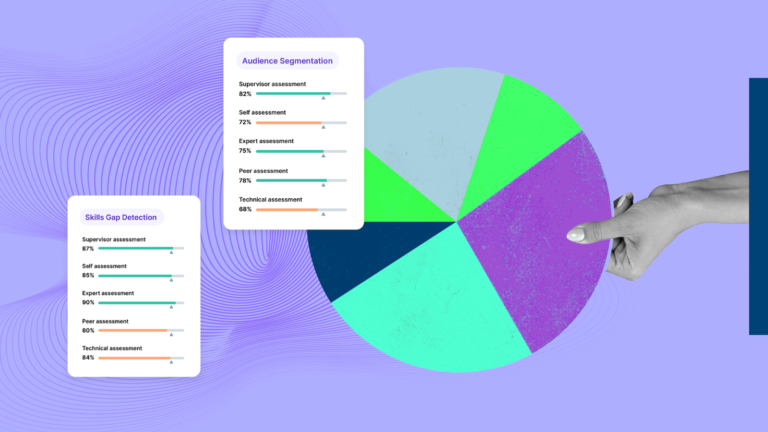
Resist the urge to estimate. Filling in the current state column from memory or gut feel produces a gap analysis that reflects perception rather than reality. SHRM recommends using people analytics to identify skill gaps and mapping current roles, skills, and automation exposure as foundational steps before any planning decisions are made. For skills and workforce assessments specifically, multi-source data is more reliable than single-source. SkillPanel’s approach aggregates self-assessments, peer reviews, manager feedback, expert input, and objective testing into a single source of truth, which produces a more accurate current-state picture than any one input alone.
Step 3: Set a clear target state with measurable goals
The desired future state column should contain goals that are specific and verifiable. Use numbers wherever possible. SHRM’s workforce planning framework recommends comparing current workforce capabilities against future needs as the basis for deciding where to reskill or hire. Targets should be grounded in benchmarks, stakeholder expectations, or strategic objectives rather than arbitrary improvements on the current state.
Step 4: Quantify the gap and identify root causes
With current and target states documented, calculate the gap for each focus area. Conditional formatting in Excel can color-code gap scores so that high-priority items stand out at a glance. Then, for each significant gap, ask why it exists. A skills gap analysis helps show how far your business is from reaching its desired levels of competency, then informs whether the response should be training or hiring. Root cause documentation ensures you are developing targeted solutions rather than applying generic fixes across the board.
Step 5: Build an action plan with owners and deadlines
The action plan transforms the analysis from a diagnostic into a roadmap. SHRM’s solution analysis framework defines the response set as a combination of training, recruiting, targeted retention efforts, and other initiatives. In practice, if an employee can reasonably acquire a skill through in-house courses, mentorship, or certification programs, investing in training makes sense. If critical skills are entirely absent from the team, hiring new employees may be the faster path.
Step 6: Track progress and update the template over time
A gap analysis is not a one-time document. Plan for regular review cycles to update progress on action items, recalculate gap scores as conditions change, and flag any new gaps that have emerged. ClearPoint’s 2026 roundtable data finds that 74% of goals, 71% of measures, and 86% of assigned owners have not updated anything in the last 90 days across most plans. Building a recurring review cadence into your process is the most important step for making the template genuinely useful rather than a document that gets filed and forgotten.
Gap analysis examples by use case
Gap analysis applies across virtually every functional domain. The structure stays the same, but what you fill into each column changes based on what you are measuring and why.
Business process improvement
In a business process context, a process gap analysis template compares how a workflow currently operates against how it should operate based on efficiency, quality, or time standards. A process audit at a manufacturing facility, for example, might document a current cycle time of 14 days against a target of 9 days, calculate a 36% gap, identify root causes in manual data entry and approval bottlenecks, and assign a project manager to lead a workflow redesign initiative with a 90-day deadline. The template keeps that analysis visible, structured, and accountable.
Skills and workforce planning
Workforce planning is where gap analysis has the most direct strategic impact. The WEF Future of Jobs Report 2025 states that 63% of employers identify skills gaps as a major barrier to business transformation over the 2025-2030 period, and that 39% of existing skill sets will be transformed or become outdated in the same timeframe. These are current planning requirements, not distant projections.
Several organizations have demonstrated what a rigorous, data-driven skills gap analysis can deliver at scale. According to real-world skills-based workforce planning case studies, DBS Bank conducted an enterprise-wide data and analytics skills gap assessment to identify shortfalls in data literacy, AI, and analytics skills among non-technical staff. The bank launched a structured, multi-year reskilling program tied directly to those gap findings and achieved productivity gains of approximately US$150M alongside a 30-40% reduction in time-to-insight across key analytics workflows. Unilever ran a similar skills mapping exercise across its global workforce, identifying significant gaps in digital marketing, e-commerce, and data capabilities relative to its growth strategy. By building targeted learning journeys and an internal talent marketplace to redeploy people into roles that matched newly developed skills, Unilever achieved a 240-420% ROI and reduced external hiring for key digital roles by 30-40%. In both cases, the gap analysis was not just a diagnostic exercise; it drove the specific interventions and made the outcomes measurable.
A skills gap analysis template in Excel would list roles or competencies as focus areas, document assessed proficiency levels as the current state, define required proficiency levels as the target, and calculate the gap for each. From there, the action plan drives decisions about training, hiring, or internal mobility.
Product or market fit
Gap analysis samples for product teams often compare what the product currently delivers against what customers actually need, or against what competitors offer. A gap score here might come from customer satisfaction surveys, feature request frequency, churn data, or competitive analysis. Root causes for product gaps often point to resource prioritization decisions, technical debt, or misalignment between the product roadmap and customer feedback.
Financial performance
For financial performance gap analysis, focus areas typically map to key financial metrics: gross margin, operating expense ratio, revenue per customer, or cash conversion cycle. The current state comes from financial reports; the desired state comes from budget targets, industry benchmarks, or strategic plan objectives. Financial gap analysis is particularly valuable when organizations need to build a business case for investment, restructuring, or cost reduction.
Common mistakes that undermine a gap analysis
The gap analysis method fails most often not because of the template itself, but because of how it is completed and maintained.
The first mistake is using assumed data rather than measured data in the current state column. Leaders often believe they know where performance stands without verifying it. The analysis then reflects their perception of the problem rather than the actual problem.
The second is setting targets that lack specificity. When the desired future state is described in aspirational rather than measurable terms, there is no meaningful gap to calculate. Every metric stays vague, every gap score becomes arbitrary, and the entire analysis loses its usefulness as a decision-making tool.
Third is skipping root cause analysis. A gap in output is rarely caused by only one factor, and treating it as if it were leads to interventions that address the symptom while the underlying cause persists. SHRM is explicit that effective gap analysis must identify the core base reason before selecting a response.
Fourth, and perhaps most corrosive, is treating the template as a one-time deliverable rather than an ongoing management tool. ClearPoint’s research across 30,000+ plans finds that 67% of strategies fail in execution, not planning, with the primary causes being poor ownership, weak cadence, and misalignment between initiatives and measurable goals.
When a static Excel template reaches its limits
Excel is a strong starting point for gap analysis, but it has structural limitations that become more pronounced as your organization scales or your skills data needs to stay current over time.
The OrgChart State of Workforce Planning 2026 report, based on a survey of more than 400 HR leaders in the U.S., finds that spreadsheet-based workforce planning is breaking down as organizations require more real-time planning and collaboration. 50% of HR teams spend five or more hours per month just keeping org charts up to date in spreadsheets, time pulled directly away from strategic workforce analysis. Version control confusion, manual errors, and the absence of a single source of truth all compound as the volume of data grows.
For skills and workforce gap analysis specifically, Excel cannot aggregate multi-source assessment data in real time, cannot update automatically as people develop new capabilities, and cannot surface patterns across an entire workforce without significant manual effort. A skills gap analysis that takes three months to build in a spreadsheet may already be outdated by the time it informs a decision.
This is the problem that SkillPanel is designed to solve. Rather than a downloadable file that captures a point-in-time snapshot, SkillPanel functions as a skills gap analysis platform with real-time dashboards, a library of Plus de 5 000 compétences déjà cartographiées, configurable role-specific skill profiles, and the ability to drill from entire competency areas down to individual employees. The platform aggregates self-assessments, peer reviews, manager feedback, and objective testing into a single, continuously updated view of workforce capability. It connects directly with HR, ATS, and learning platforms via integrations, eliminating the duplicate data entry and synchronization problems that make spreadsheet-based workforce planning fragile at scale.
For organizations already using Excel to begin their gap analysis, SkillPanel offers a natural path forward: start with the template to understand your structure and focus areas, then transition to a platform that keeps pace with your workforce as it changes. The platform is designed to deploy enterprise-wide in months with 90% less implementation effort than traditional skills platforms.
Gartner’s 2026 guidance for CHROs calls for an HR-focused AI strategy and reimagined work processes that go beyond legacy workflows. A skills gap analysis that still lives in a manually updated Excel file is not positioned to support that transformation.
FAQs about gap analysis templates in Excel
How do I do a gap analysis step by step? Start by defining your scope and focus areas. Document your current state using real, verified data. Set measurable targets for each focus area. Calculate the gap between current and target performance and identify root causes. Build a specific action plan with named owners and deadlines. Finally, track progress and update the template at regular intervals.
What should I do immediately after downloading the template? Three steps get you productive right away. First, define your scope before touching any cells: write down the two or three focus areas you most need to assess and resist the urge to include everything at once. Second, go collect real data for the current state column; do not estimate from memory. Pull assessment scores, performance reports, or survey results so the analysis reflects reality rather than assumption. Third, share the file with the people who will own the action items before you fill in a single row. Co-authoring the template from the start produces more accurate data and far higher follow-through than handing it off after the fact.
How often should a gap analysis be updated? The right cadence depends on what you are tracking. For workforce and skills gap analysis, quarterly updates are a practical standard; skills shift quickly enough that a once-a-year review leaves decisions based on stale data. For broader strategic or financial gap analysis, an annual review aligned to planning cycles usually works well. If you are using a dedicated skills intelligence platform rather than a static spreadsheet, the analysis can update continuously as new data flows in, which is particularly valuable for fast-moving capability areas like AI readiness or digital skills.
What is the difference between a simple gap analysis template and a more complex one? A simple gap analysis template typically contains the core columns: focus area, current state, desired state, gap, action items, and owner. More complex versions may include weighted scoring models, multiple tabs organized by department or focus area, automated gap calculations, and visual dashboards. For most starting points, the simpler version is more useful.
When should I move beyond a free gap analysis template Excel format? Excel works well for targeted, one-off analyses with a defined scope. When your gap analysis needs to cover a large workforce, stay current over time, aggregate data from multiple sources, or connect to broader HR and learning systems, a dedicated platform like SkillPanel delivers accuracy and scale that spreadsheets cannot sustain. The WEF Future of Jobs Report 2025 projects that 59 out of every 100 workers will need training by 2030. Managing that level of workforce development through a static spreadsheet is not a viable long-term strategy.
Can I use this template for both skills and business process gap analysis? Yes. The same gap analysis format applies across use cases. For skills and workforce planning, rows represent competencies or roles. For business process improvement, rows represent workflow steps or process metrics. For financial performance, rows represent financial KPIs. The column structure remains consistent regardless of the domain.